
FixGameTech

ROG Ally Repair • Aurora, Colorado

ROG ALLY REPAIR. DONE RIGHT.

Professional ASUS ROG Ally and ROG Ally X diagnostics and repair for USB-C charging failures, broken screens, battery and power problems, overheating, control issues, storage faults, liquid damage, motherboard failures, and more.
USB-C & NO POWER SCREEN & DISPLAY CONTROLS MOTHERBOARD REPAIR
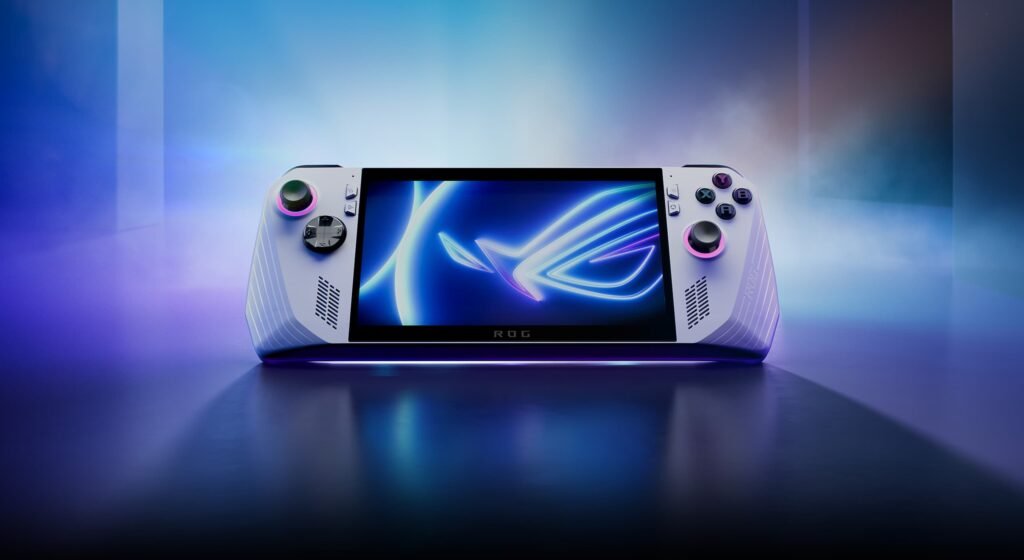
ASUS ROG Ally repair service in Aurora Colorado
USB-C & NO POWER
SCREEN & DISPLAY
CONTROLS
MOTHERBOARD REPAIR
ROG ALLY REPAIR SERVICES

Choose the problem your ROG Ally is having

Choose the service that best matches the symptoms. Each repair card includes a direct SMS button with a prewritten message for that specific issue.
ROG Ally USB-C charging port and no power repair
ROG ALLY REPAIR

USB-C Charging Port & No Power

For ROG Ally systems that will not charge, charge intermittently, have a damaged USB-C port, or will not power on. We inspect the port, charging path, battery connection, and related motherboard circuitry.
TEXT ABOUT CHARGING REPAIR
ROG Ally screen and display repair
ROG ALLY REPAIR

Screen & Display Problems

For cracked screens, black display, image lines, touch problems, backlight faults, or damaged display assemblies on ROG Ally and ROG Ally X systems.
TEXT ABOUT SCREEN REPAIR
ROG Ally battery and power repair
ROG ALLY REPAIR

Battery & Power Problems

For fast battery drain, failure to hold a charge, unexpected shutdowns, battery-related warnings, or other power symptoms that may involve the battery or charging circuitry.
TEXT ABOUT BATTERY REPAIR
ROG Ally motherboard microsoldering repair
ADVANCED REPAIR

Motherboard & Microsoldering

Advanced diagnosis for short circuits, damaged connectors, charging faults, power rails, and other repairable board-level failures on ROG Ally systems.
TEXT ABOUT MOTHERBOARD REPAIR
ROG Ally fan and overheating repair
ROG ALLY REPAIR

Fan & Overheating

For excessive heat, loud or stalled fans, thermal shutdowns, or poor cooling. We inspect the fan, airflow, heatsink, thermal interface, and internal dust buildup.
TEXT ABOUT OVERHEATING
ROG Ally joystick buttons and controls repair
CONTROLS

Joysticks, Buttons & Controls

Diagnosis for stick drift, damaged joysticks, unresponsive buttons, shoulder-button problems, trigger faults, or other hardware-related control failures.
TEXT ABOUT CONTROL REPAIR
ROG Ally SSD storage and startup repair
STORAGE & SYSTEM

SSD, Storage & Startup Problems

For storage errors, failed startup, boot loops, drive-related issues, Windows problems, or symptoms that require separating storage and software faults from hardware failures.
TEXT ABOUT STORAGE ISSUES
ROG Ally liquid damage and corrosion repair
LIQUID DAMAGE

Liquid Damage & Corrosion

For systems exposed to water or other liquids. We inspect for corrosion, shorts, damaged connectors, and board-level faults before determining whether repair is feasible.
TEXT ABOUT LIQUID DAMAGE
Professional ROG Ally diagnostic service
DIAGNOSTIC

Diagnostic Service

Not sure what failed? We inspect the symptoms and isolate the underlying hardware or software problem before recommending a repair.
TEXT FOR A DIAGNOSTIC
COMMON ROG ALLY FAILURES

Problems we diagnose every day

Different symptoms can have different causes. We focus on identifying the actual failure before repair work is recommended.
01

Will not charge or power on

USB-C, battery, charging-circuit, or board-level faults may cause these symptoms.
02

Cracked screen or no display

Display, touchscreen, connector, or motherboard faults can affect the screen.
03

Battery drains too fast

Battery wear, charging faults, or excessive power draw can cause poor runtime.
04

Overheating or fan noise

Cooling-system problems can lead to excessive heat, fan noise, or shutdowns.
05

Stick drift or button problems

Joysticks, triggers, buttons, or related control hardware may need repair.
06

SSD or startup errors

Storage, Windows, boot, or system issues may require hardware and software diagnosis.
07

Liquid exposure or corrosion

Liquid can create shorts and corrosion that require internal inspection.
08

Unexpected shutdowns or crashes

Power, thermal, storage, driver, or motherboard faults can cause unstable operation.
HOW IT WORKS

A simple ROG Ally repair process

Clear communication from the first symptom to final functional testing.
01

Tell Us the Problem

Describe the symptoms and what happened before the issue started.
02

Diagnosis

We inspect and test the ROG Ally to identify the failure and determine the appropriate repair.
03

Repair

Authorized repair work is completed using the appropriate procedure for the diagnosed fault.
04

Functional Testing

The repaired functionality is tested before the ROG Ally is returned.
WHY FIXGAMETECH

Focused on proper diagnostics and professional ROG Ally repair

Advanced handheld repair requires more than replacing random parts. We focus on identifying the actual failure and repairing what the device needs.

Advanced Diagnostics

We separate symptoms from causes before recommending repair work.

Board-Level Capability

Motherboard and microsoldering work is available when the failure is repairable.

Functional Testing

Repaired functionality is tested before the ROG Ally is returned to the customer.
FIXGAMETECH • AURORA, COLORADO

Ready to repair your ROG Ally?

Contact FixGameTech and tell us exactly what problem your ROG Ally or ROG Ally X is having. You can text, call, or schedule your repair online.